Milgard
Milgard OneLink
This section will show the step-by-step process to get the data from Milgard OneLink to a folder where you can upload it to SaberisConnect.
- Open a Quote in OneLink.
-
Select "More" in the top right and select "Export" from the list of options.
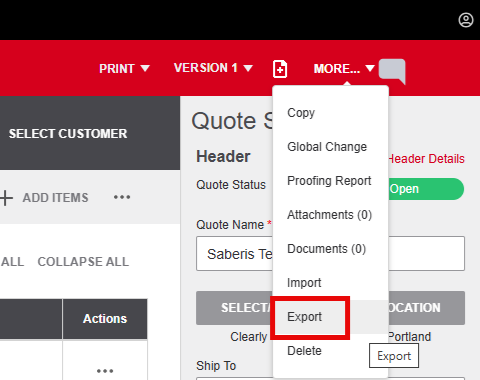
- Save the file. The default name should be record_export.json.
Now go to your account on SaberisConnect to complete the task.
Milgard CTB
This section will show the step-by-step process to get the data from Milgard CTB to a folder where you can upload it to SaberisConnect.
-
Open a Quote and click on Export.
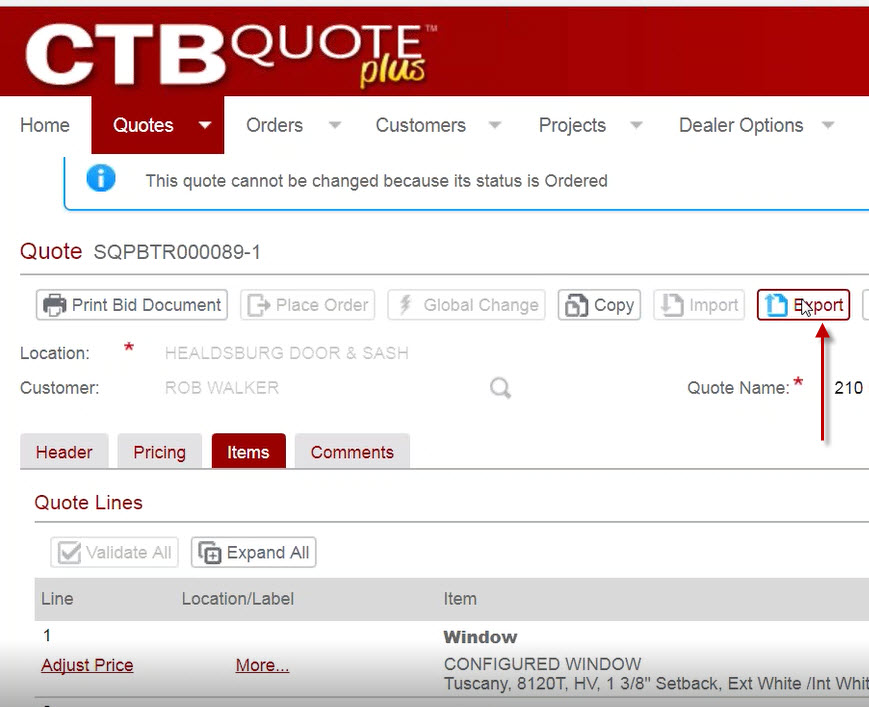
-
Select the XML format.
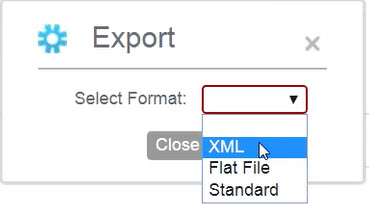
Now go to your account on SaberisConnect to complete the task.